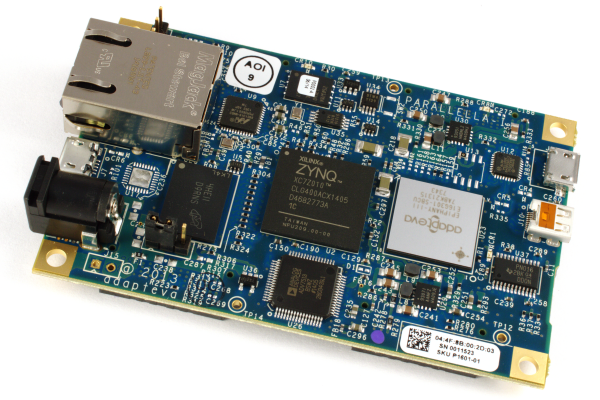

An introduction to how the Parallella board FPGA can be configured for “headless” operation (no HDMI controller) and alternative expansion.
The Parallella’s Zynq chip provides not only a dual-core ARM processor and peripheral interfaces such as Ethernet and USB, but also a field-programmable gate array (FPGA) that greatly increases the flexibility of the platform. In Zynq parlance these are termed the processing system (PS) and programmable logic (PL) respectively, and their close integration brings many benefits.
Communication with the Epiphany accelerator is via an eLink interface and on the host side this is implemented in the FPGA. However, the FPGA is also used to implement a HDMI controller and to provide up to 48x pins of general purpose I/O (GPIO), and as we’ll come to see this configuration can easily be changed.
The configuration bitstream
On power-up the FPGA is configured for a particular design via a bitstream file stored in the boot partition of the Micro SD card, named parallella.bit.bin. Simply changing this file for another and rebooting is all that it takes to reconfigure the FPGA, although the Linux kernel must also be configured for the available devices and this is done by updating a second file, devicetree.dtb.
The parallella-bin repository contains releases of all the three files which must be located in the boot partition: the FPGA bitstream, Linux kernel and device tree. At present a default configuration is provided with HDMI support, along with a headless release that is without HDMI.
Running headless

With the HDMI configuration I measured the current consumption to be 1038mA, as can be seen above. Changing to the headless configuration brought this down by almost 100mA, to 948mA.

This is by no means the only way that power saving can be achieved and there are other options available and techniques that can be employed. However, this shows how for applications which do not require HDMI, almost half a watt can be shaved off the power consumption straight away. In addition to which removing the HDMI controller also frees up space in the FPGA for implementing new custom capabilities.
Configuring expansion

Detail of the version.v file from the parallella_7020_headless project
The pre-built bitstreams currently in the parallella-bin repository provide 24 “bits” of differential I/O that is not connected to the PS (ARM host).
The pre-built bitstreams in the parallella-hw repository provide 48x (Z-7020) or 24x (Z-7010) pins of single-ended GPIO, that is routed to the PEC_FPGA expansion connector and accessed from Linux via, for example, the sysfs filesystem (/sys/class/gpio).
The FPGA can also be configured for differential I/O instead of single-ended, whereby a pair of pins is used to convey a signal — improving resistance to noise and enabling interfaces to be run at much higher data rates, with the trade-off being that double the number of pins are required. This is configured in the version.v file of the FPGA projects in the parallella-hw repository. If prior to building, FEATURE_GPIO_DIFF is defined and IOSTD_GPIO is set to LVDS_25, you will get (half the number of) differential GPIOs.
Note that HDMI projects remain to be added to the parallella-hw repo and defining HDMI in a headless project will not result in a bitstream with HDMI support being built. Also, any changes to projects should be reflected in the VERSION_VALUE defined in version.v, as there may be tools which read the FPGA register value and make assumptions about what connections are present (see versions.txt).
Finally, a peripheral-rich “megaio” configuration is also in the works, which will provide second Ethernet (external PHY required), I2C and UART ports, plus SPI and CAN bus.
Building the bitstream

Building an FPGA project using PlanAhead
The FPGA projects are built using the PlanAhead tool and the free-of-charge ISE WebPACK Design Software is sufficient. Depending on which O/S you are using there may be some post-installation steps required, and as a Debian user I found this guide from Aram Kalaydzhyan most helpful, substituting 14.6 with 14.7 when installing the most recent version of ISE.
To build a project simply open it in PlanAhead and select Generate Bitstream. For further details see the project’s README.md file.
Many more possibilities
This post has served simply as a high level exploration of the presently available FPGA configurations, and as such it has not even scratched the surface of what is possible in terms of implementing custom high-speed interfaces and peripherals etc.
Andrew
With thanks to Fred @ Adapteva for clarification on numerous points.
[Edit: corrections for -bin vs. -hw repo bitstreams and added note about VERSION_VALUE define.]